What this page answers
- Is Interpark Global the same site as NOL World? Yes. `www.globalinterpark.com` returns an HTTP 301 permanent redirect to `world.nol.com`, measured 2026-08-21. Same window, two names
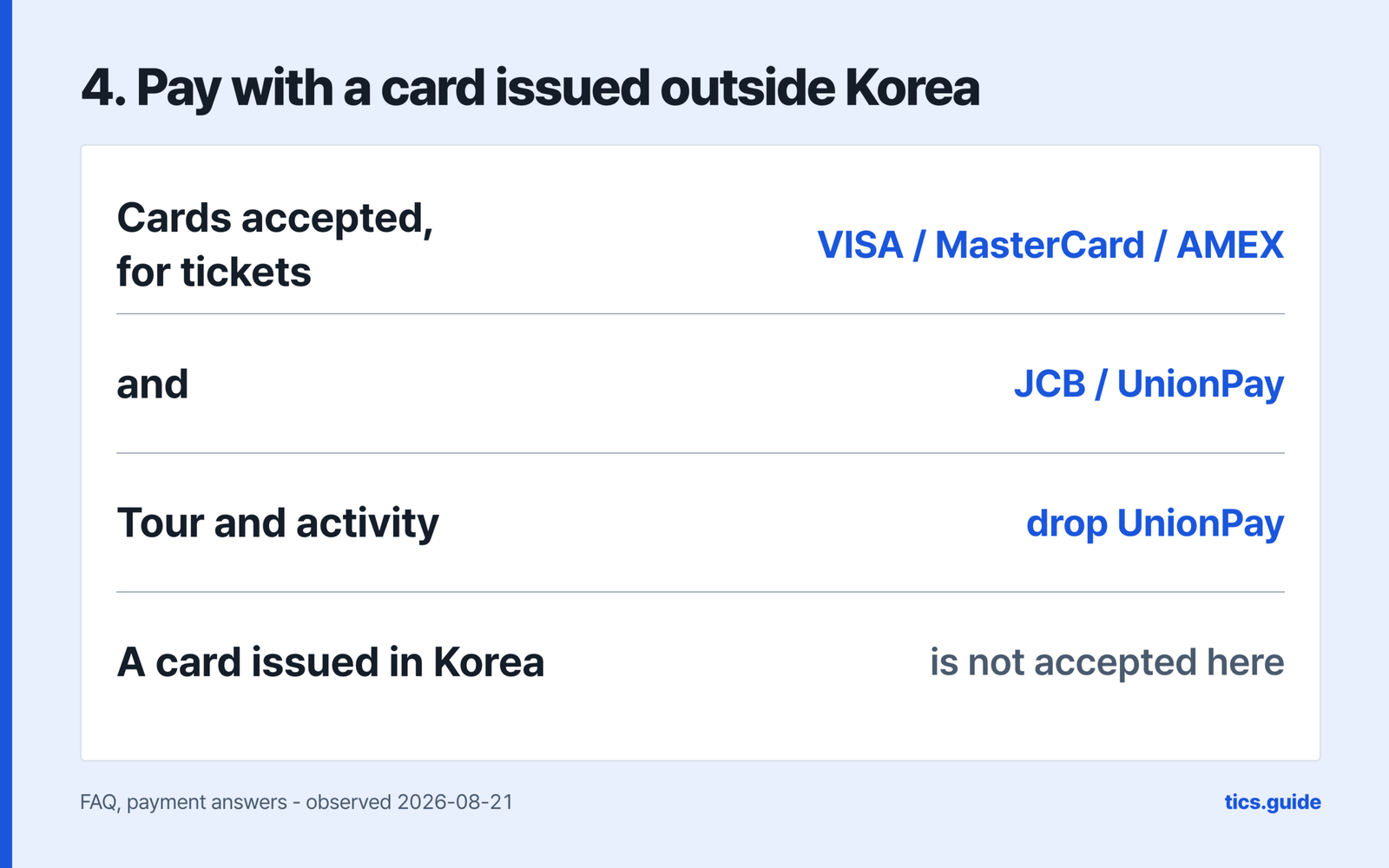
- Can I pay with my Korean credit card? Not here. NOL World accepts only cards issued outside Korea, and sends Korean-card holders to NOL Tour/Tickets instead. For tickets it takes VISA, MasterCard, AMEX, JCB and UnionPay. The card rule
- Do I have to verify my identity before booking? Only for shows labelled Verified Member Only. That check photographs your passport and your face, once per account, and NOL World advises finishing one to two days before the sale. Verified Member Only
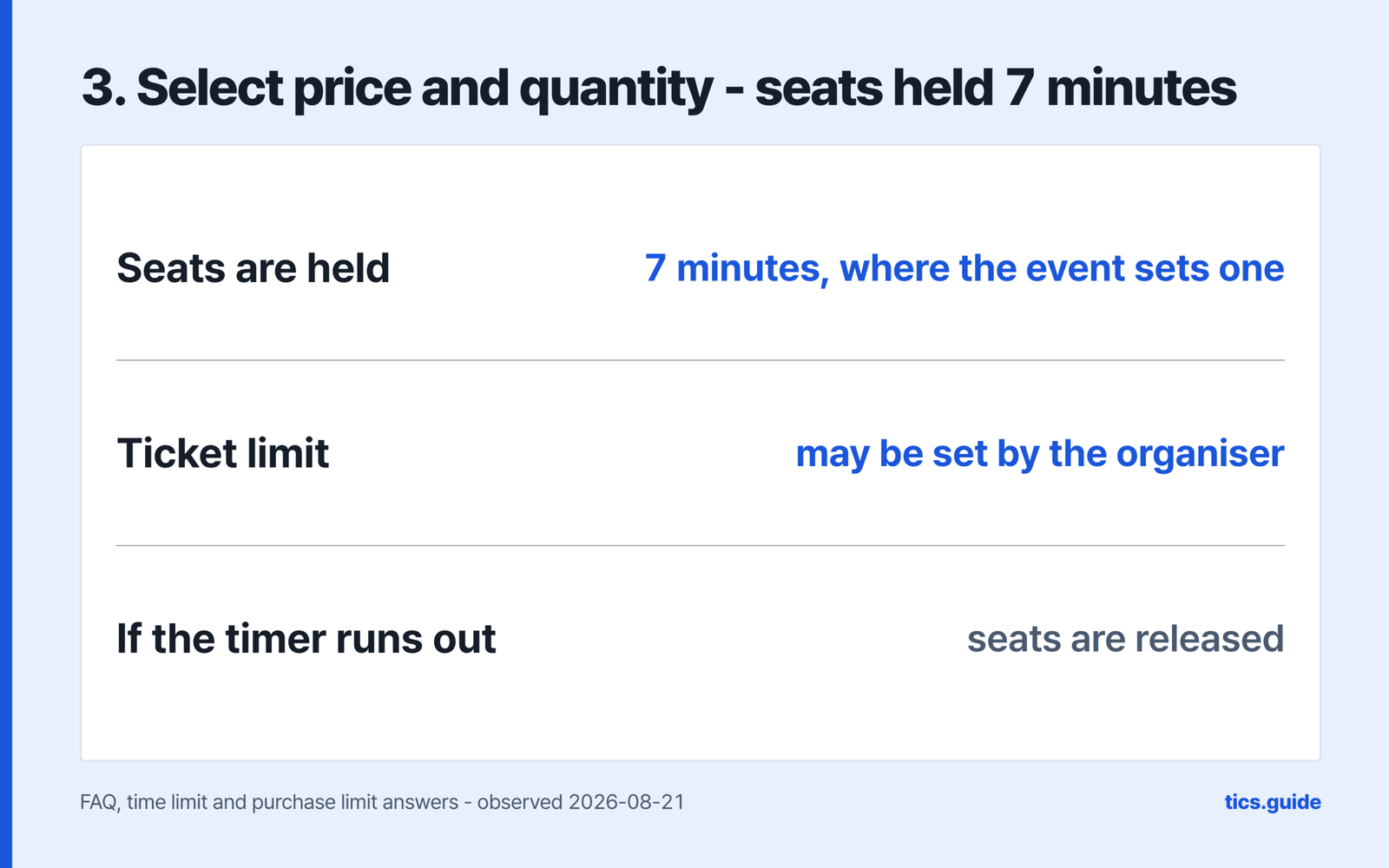
- How long do I get once the queue lets me through? 10 minutes to pick seats, then a 7-minute hold while you pay, where the event sets a limit — NOL World says the limits vary by event and some events have none. What each step asks for
- How late can I cancel a performance ticket? The FAQ puts it at 5pm Korean time the day before for weekdays and holidays, and 11am the day before for Saturday — without saying whether Saturday means the performance or the cut-off day, so treat the earlier hour as safe and check your product page. Cancelling by 11:59 PM on the day you booked carries no fee. Cancelling
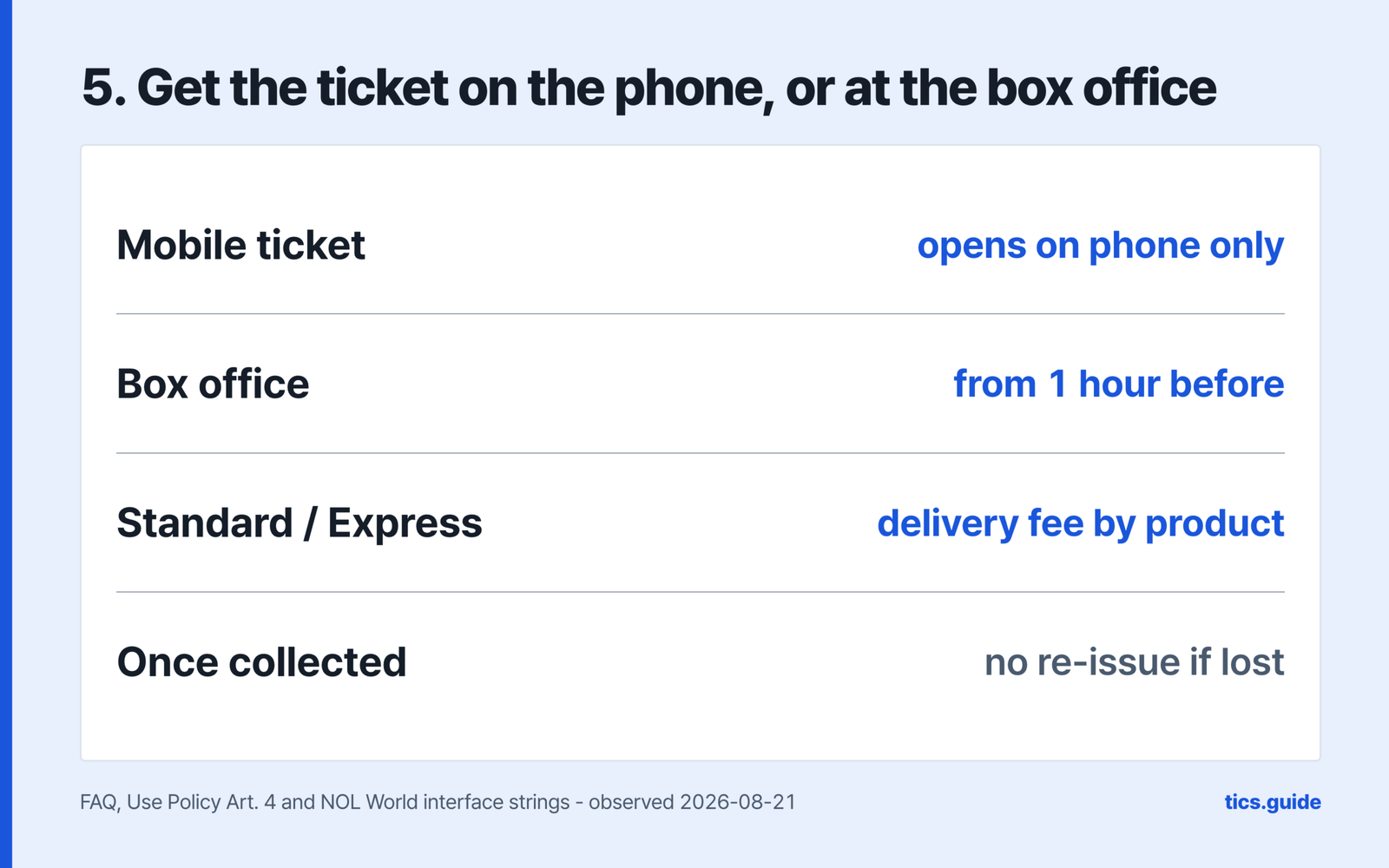
- Can I collect the ticket before the show day? No. On-site collection runs from one hour before the performance, on the day itself, with your confirmation number and identification – and a collected ticket is not re-issued. Collecting the ticket
If you searched for Interpark Global and landed on something called NOL World, nothing has gone wrong. This page covers the English ticketing window for Korean concerts and performances that used to carry the Interpark name, from the account through the queue, payment, collecting the ticket and cancelling. It is worth reading before a sale rather than during one, because two of the steps below have to be finished days ahead.
The product, not NOL World, carries its own cancellation terms; the organiser sets the ticket limit – which is why so many answers below end with “depends on the product”. Article 12 of the Terms of Service sits a layer beneath that: its own first paragraph applies its default scale only where the Use Policy, the product’s guide or its terms say nothing.
Interpark Global and NOL World are the same window
The clearest evidence is the address itself. `www.globalinterpark.com` answers with an HTTP 301 and sends you to `world.nol.com`, measured on 2026-08-21. A 301 is a permanent redirect, so old links, old bookmarks and old forum posts all arrive at the current site.
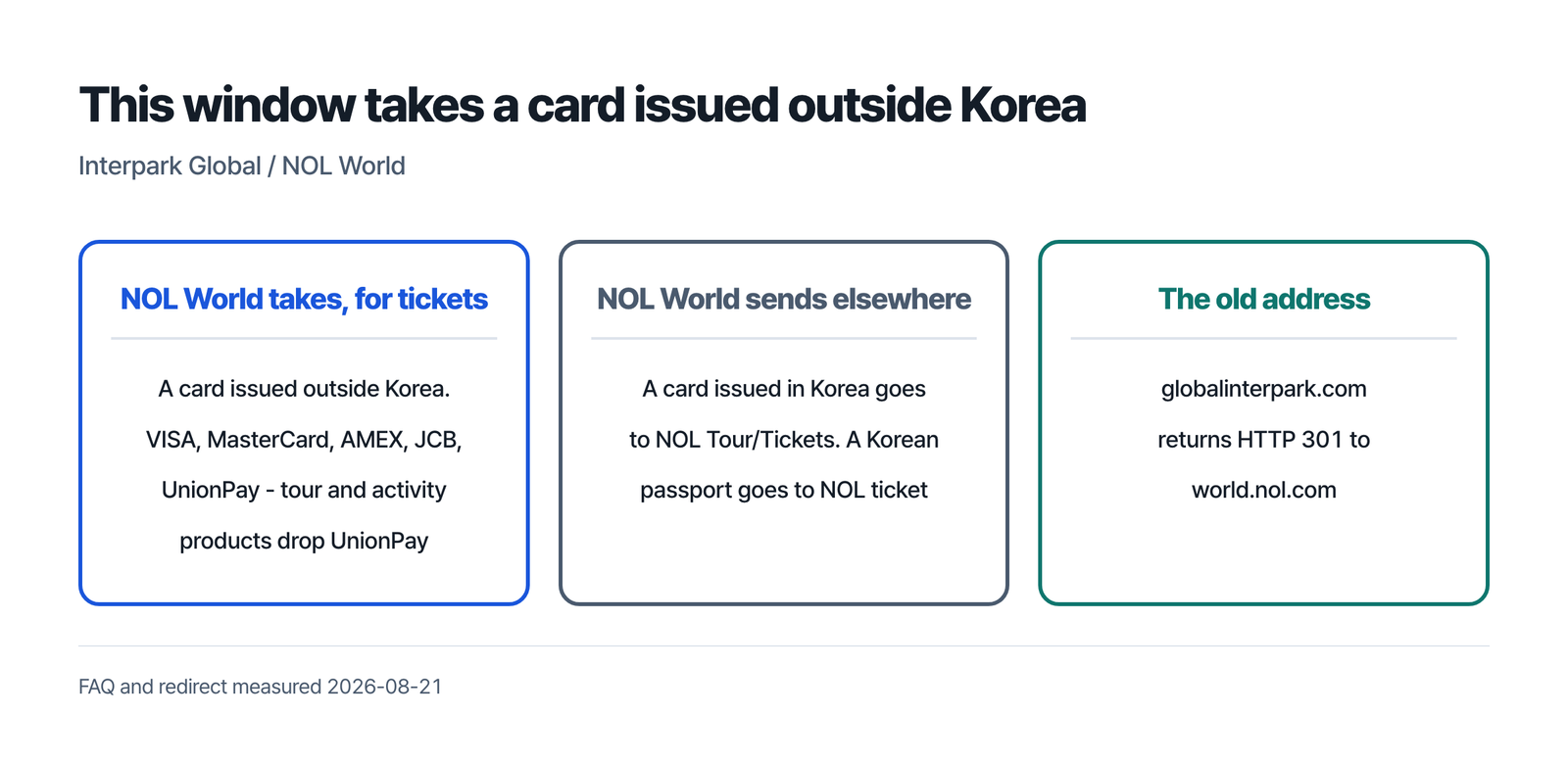
Two cases route elsewhere: a Korean-issued card to NOL Tour/Tickets, a Korean passport to the NOL ticket site.
Your card must be issued outside Korea
This is the rule that catches people out, because the restriction runs the opposite way to the one they expect. The FAQ states plainly that NOL World only accepts credit cards issued outside of Korea. There is no workaround offered, and none is needed: the FAQ says that if you want to use a Korean-issued card, you book through NOL Tour/Tickets instead, not through NOL World.
For tickets the accepted networks are VISA, MasterCard, AMEX, JCB and UnionPay. Tour and activity products drop UnionPay and take the other four.
Currency is handled at the card entry screen. NOL World says it supports payment in 24 currencies, and that after you enter your card details you choose between the currency of your card’s issuing country and Korean won. The full range depends on the network: 24 currencies on VISA and MasterCard, four on JCB, which are won, dollars, yen and Taiwan dollars, and two on UnionPay, which are won and dollars.
The payment method must be in your own name; NOL World may verify that, suspend the transaction, or ask for supporting material.
| Type of event | Service fee |
|---|---|
| Musicals and concerts | KRW 8,000 |
| Other performances and sports | KRW 3,000 |
| Leisure and exhibitions | Free |
The FAQ adds that the fee can vary by product, so the table is a starting point rather than a final figure. The concert figure excludes some product types, such as online concerts and fan club memberships.
Verified Member Only: a passport photo and a face photo
Not every show asks for this. When one does, the product page carries a Verified Member Only label, and the FAQ is direct about the order of events: verification comes before booking, and only verified members can reserve.
Failing to complete the passport check can restrict your use of the service (Use Policy).
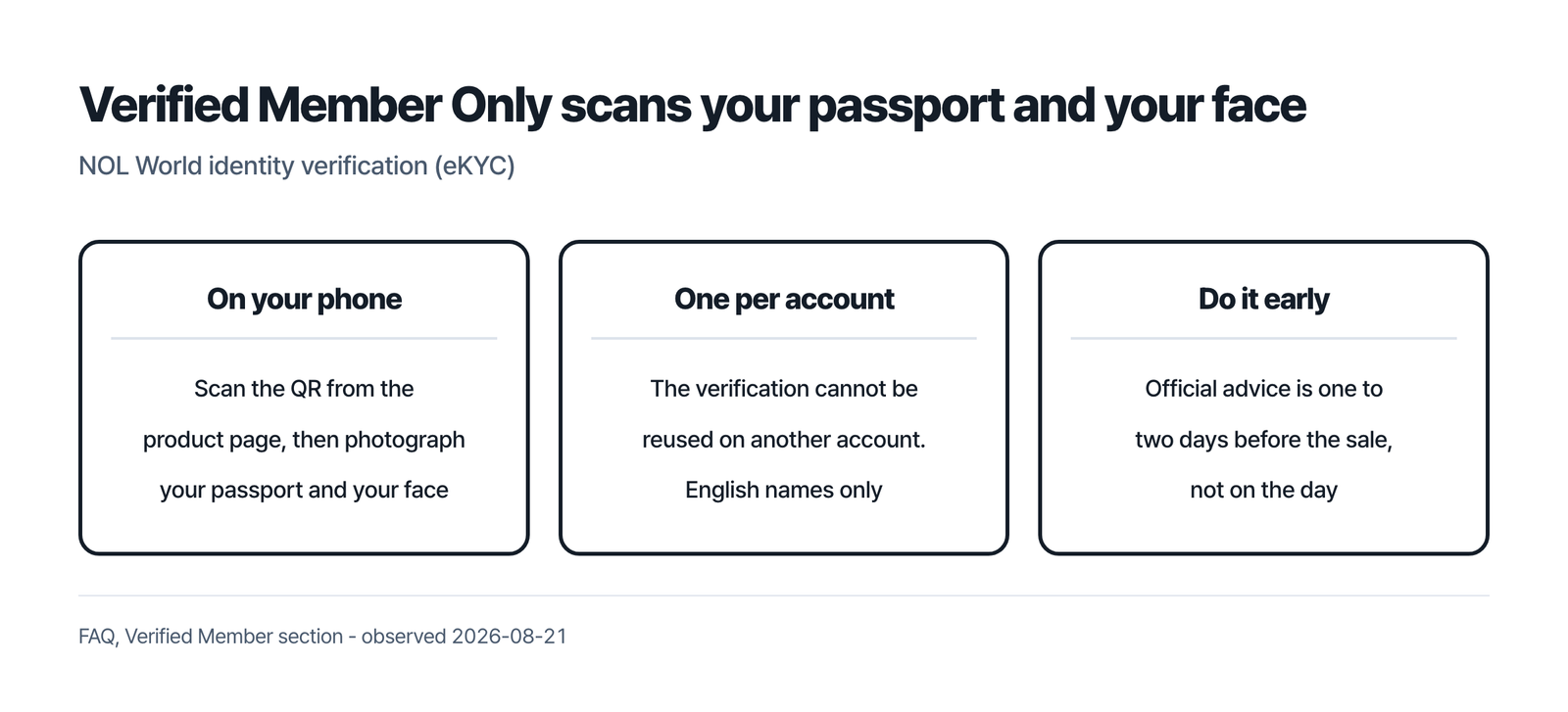
The process moves from your computer to your phone and back. You click Verified Member Only on the product page, then scan the QR code from the pop-up with your phone. On the phone you accept the privacy policy and KYC terms and enter a code sent to your email. Then you choose your nationality, photograph your passport, check the details it read, and photograph your face. Refreshing the product page on your computer then shows a Buy Ticket button.
Three things about it are easy to get wrong.
Verification is one-time per account, and the same verified information cannot be reused on a second account. The FAQ addresses people who already hold more than one, telling them to verify the account they intend to buy with.
Only English names are accepted. If the name on your passport is not in English, or the scan picks up special characters, you are sent to a name correction request page instead of finishing. Accounts show the name in different orders depending on when they were verified; NOL World says entry is still possible, and on-site verification is restricted only where the name itself differs from the passport.
Timing matters more than it looks. The FAQ recommends completing verification one to two days before the sale, and the reason it gives is traffic near the opening time. Separately, a status of Pending Admin Approval waits on a human review that NOL World puts at up to 24 hours.
One case routes elsewhere. If you hold a Korean passport, the FAQ says to use the NOL ticket site rather than NOL World. For Korean nationals living abroad, the FAQ describes a route through documents proving overseas Korean status. It applies if you have no Korean resident registration number, or if mobile authentication is unavailable. You may then send a certificate of overseas Korean registration and a Korean passport to customer support. Where the certificate is hard to obtain, a foreign registration card may be accepted as a substitute. It adds that falsified documents result in immediate restriction.
What each booking step asks for
Booking starts from an account. The FAQ’s own booking checklist opens with “Set up or log in to your NOL World account ahead of time”. Article 2 of the Terms of Service defines a Non-member as a customer who has not created an account, and adds that non-members “may be restricted from making reservations or purchases”.
What each booking step asks for – redrawn from the operator’s English FAQ and Use Policy, checked 2026-08-21
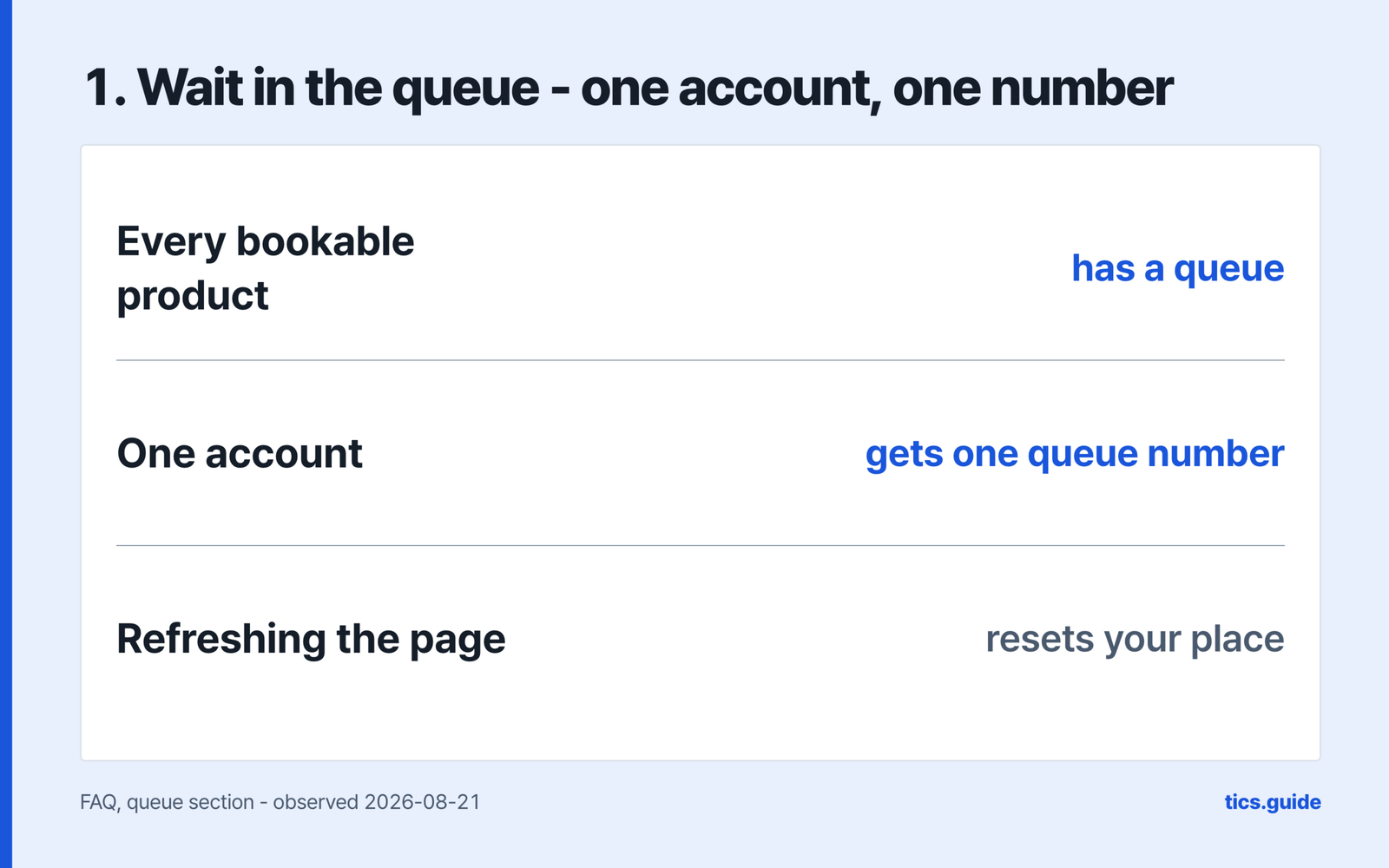
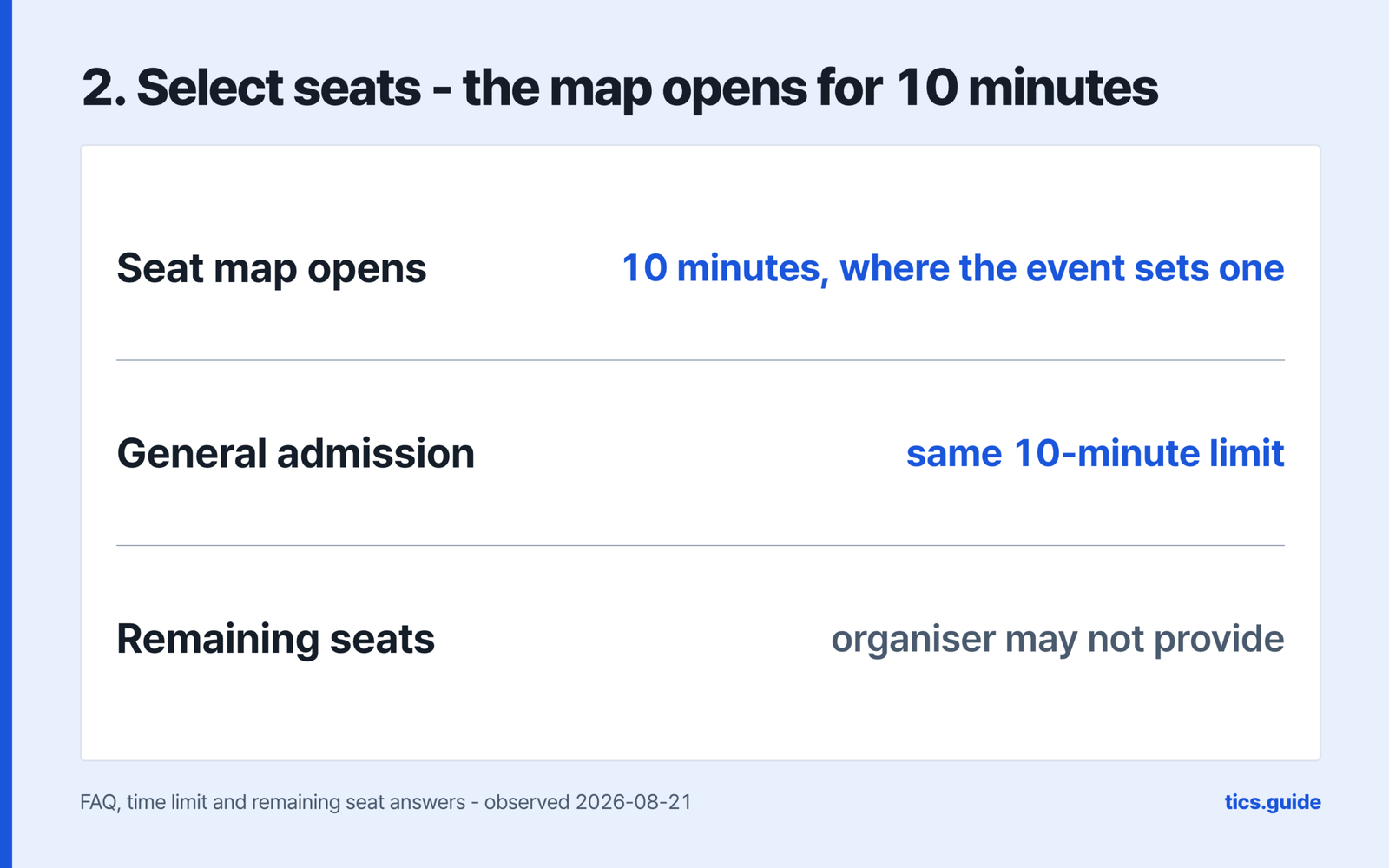
The queue rules deserve reading before the sale rather than during it, because several of them punish a reflex. Refreshing the queue page resets your position in it. Asking for a second queue number from another device or browser closes the first one, and the FAQ is explicit that one account receives one number. If you press Reserve somewhere else, you are asked whether to keep the existing queue or start again from the end.
NOL World’s own queue guidance lists more than most people expect. Using other apps or sites while queuing can cause errors. The screen should not go dark. Cell service on the move can drop the connection, so it advises staying in one spot. Frequent device or window changes can close the queue. A VPN should not be used, because it may be read as automated traffic and blocked.
A queue number is not a ticket. NOL World says the position does not guarantee availability, which matters because the two timers that follow are short. The seat map gives 10 minutes, and moving to the price step holds your seats for 7 minutes while you pay. Miss either and the seats are released and you start over. Each limit can vary by event, and some events have none.
Ticket limits come from the organiser rather than the site, and can be set per order or per member. If the booking window itself will not open, the official advice is a current version of Chrome or Edge with the cache cleared, or the app updated from your device’s store. Seat selection on the mobile web is a known failure on the Galaxy Fold, and the FAQ points those users to the app.
Collecting the ticket
Which route you get depends on the product. The Use Policy says delivery is “through on-site collection or other applicable methods”, with the method, any fee and the time varying by product. NOL World’s English interface strings, read on 2026-08-21, also name Standard Delivery and Express Delivery, with a delivery fee and a shipping address that accepts addresses outside Korea.
A mobile ticket enters the venue as a QR code, and the Use Policy gives it the same effect as a printed ticket. It opens only in the NOL World app or on the mobile web. Clicking the mobile ticket button on a computer produces a QR code to scan with your phone, which then opens the real thing.
On-site collection happens at the box office on the day of the show, with your confirmation number and identification, from one hour before the performance. Tickets cannot be collected before the day of the show, and once collected they are not re-issued if lost or stolen. The Use Policy says the same about loss and damage: no cancellation, no change, no reissue.
Someone else collecting on your behalf is possible but not universal. The FAQ says the process differs by venue, that proxy collection may be restricted depending on the type of show, and that the notice on the product page for your booking is what governs. Whether it is available at all is decided there, not here.
Cancelling: the deadline moves with the day of the week
The deadlines in these documents are different in kind.
The first is a free window. For tickets, the FAQ says cancelling by 11:59 PM on the day you booked carries no cancellation fee – it adds that a tour or activity product can carry a full fee even on the same day.
The second is the hard stop, and for a performance ticket it is not the same every day. The FAQ puts it at 5pm Korean time the day before the show for weekdays and holidays, and 11am the day before for Saturday. Article 12 sets a separate cut-off: a booking *made* after that hour the day before cannot be cancelled at all. Take the earlier hour and confirm on your product page. The Use Policy adds that these deadlines vary by product and can change when the host or the venue changes them, with notice on the product page or in your booking details.
Cancellation fees are set per product by the FAQ and the Use Policy alike. Article 12 of the Terms of Service does publish a default scale. Ten or more days out it is KRW 8,000 for musicals and concerts and KRW 2,000 for classical concerts, plays and sports, capped at 10% of the purchase price. That charge is waived where the cancellation falls within seven days of the reservation date. Closer in the tiers run 10, 20 and 30 percent, then 90 percent on the day of the event — and that last one applies only where the product allows same-day cancellation at all. The same article applies that scale only where the Use Policy or the product’s own terms say nothing. Before buying, your rate is on the product detail page; after buying, it is in your reservation details.
A card refund’s timing turns on whether the transaction reached your card company, and the four documents do not agree. The FAQ says that if the transaction information has not been passed to the card company, the request completes right away. Once it has been passed, the FAQ puts it at about 5-7 days for the card company to cancel the transaction, and that answer does not write “business” there. The Use Policy says the time may vary by payment method and generally takes five to seven business days. The Cancellation / Usage Policy gives about 5-7 business days for cards and adds that this may vary by card issuer. Article 12 of the Terms of Service gives approximately four to six business days, and only for a credit or debit card refund issued by the card company, counted from the date the payment cancellation is approved. The cancelled amount is deducted from the following month’s bill, and each card company has its own refund policy. Two more things apply if you booked with a card issued outside Korea. The FAQ warns that the exchange rate on the cancellation date may differ from the booking date, which produces a gain or a loss. It adds that an international transaction fee can still apply to a cancelled transaction.
Cancellation requests are also processed on Korean office hours, 10:00 to 18:00 KST on Korean weekdays. Anything sent outside that, or on a Korean public holiday, counts as received on the next business day. Partial cancellation works on some shows and not others, so it is worth checking at the point of booking rather than assuming.
What this page does not settle
- Which cancellation fee actually binds you. A default scale exists in the Terms of Service, but the product’s own terms override it, and this page cannot know yours.
- Which shows support NOL facepass, the face-registration service that lets you enter without ticket verification. The FAQ answers that with a method rather than a list: look for the “facepass” mark on the product page.
Can someone else collect my ticket?
Sometimes. The FAQ says the collection process differs by venue and that proxy collection may be restricted depending on the type of show, so the notice on your product page decides it.
What happens if I miss the 7-minute payment hold?
The seats are released automatically and you start the booking again. The 7 minutes run from the price and quantity step, and the limit can vary by event.
Do I need to verify my identity to book?
Only for shows labelled Verified Member Only. Those require a passport photograph and a face photograph, done once per account, and NOL World advises finishing one to two days before the sale.
How late can I cancel a performance ticket?
The FAQ says 5pm Korean time the day before for weekdays and holidays, and 11am the day before for Saturday — without saying whether Saturday means the performance or the cut-off day, so treat the earlier hour as safe and check your product page. For tickets, cancelling by 11:59 PM on the day you booked carries no fee.
Interpark Global / NOL World, step by step
Sources
- NOL World, “FAQ” (checked 2026-08-21) – https://world.nol.com/en/my-info/faqs
- NOL World, “Use Policy”, effective 2026-07-28 (checked 2026-08-21) – https://world.nol.com/en/pages/use-policy.html
- NOL World, “Terms of Service”, effective 2026-07-28 (checked 2026-08-21) – https://world.nol.com/en/pages/tos.html
- NOL World, “Cancellation / Usage Policy” (checked 2026-08-21) – https://world.nol.com/en/pages/cancellation-policy.html
- NOL World, published English interface strings for ticket delivery methods, read 2026-08-21 – https://world.nol.com/en/my-info/faqs
- Redirect measured on 2026-08-21: https://www.globalinterpark.com/ returns HTTP 301 to https://world.nol.com/