What this page answers
- Why won’t the sign-up form take my email address? The field offers six domains and nothing else — gmail.com, qq.com, yahoo.co.jp, icloud.com, outlook.com and hotmail.com. Sign-up and email
- What does a Verified Members Only show ask for? A passport and a phone camera, and Melon recommends finishing at least one to two days ahead. One passport verifies one account. The identity check
- Can I pay with a card issued in Korea? No. Melon requires a card issued outside South Korea, and states that a Korean-issued card can get your booking cancelled even after payment goes through. The card rule
- The booking window will not open. What does Melon say? Turn off pop-up blocking before the sale — the booking window opens as a pop-up. What each step asks for
- How late can I cancel? Cancellation closes at 5 pm Korean time the day before the event, and 11 am on Saturdays. Cancelling by 11:59 pm Korean time on the day you booked carries no cancellation fee. Cancelling and refunds
- Where do I actually get the ticket? From the box office at the venue, with identification and your printed purchase details — and tickets cannot be picked up before the day of the show. Getting the ticket
Melon Ticket Global is the English service Kakao Entertainment runs at `tkglobal.melon.com`, separate from the Korean-language Melon Ticket. The site states its own scope in a Korean line at the foot of every page: the service is for foreigners living overseas, and users inside Korea should use the Korean service.
One name check first: Ticketmelon (`ticketmelon.com`) is a different company, and nothing here applies to it. The global service runs on `melon.com` hosts – `tkglobal.melon.com` to browse and book, `gaccounts.melon.com` for the account.
The sign-up form refuses most email addresses
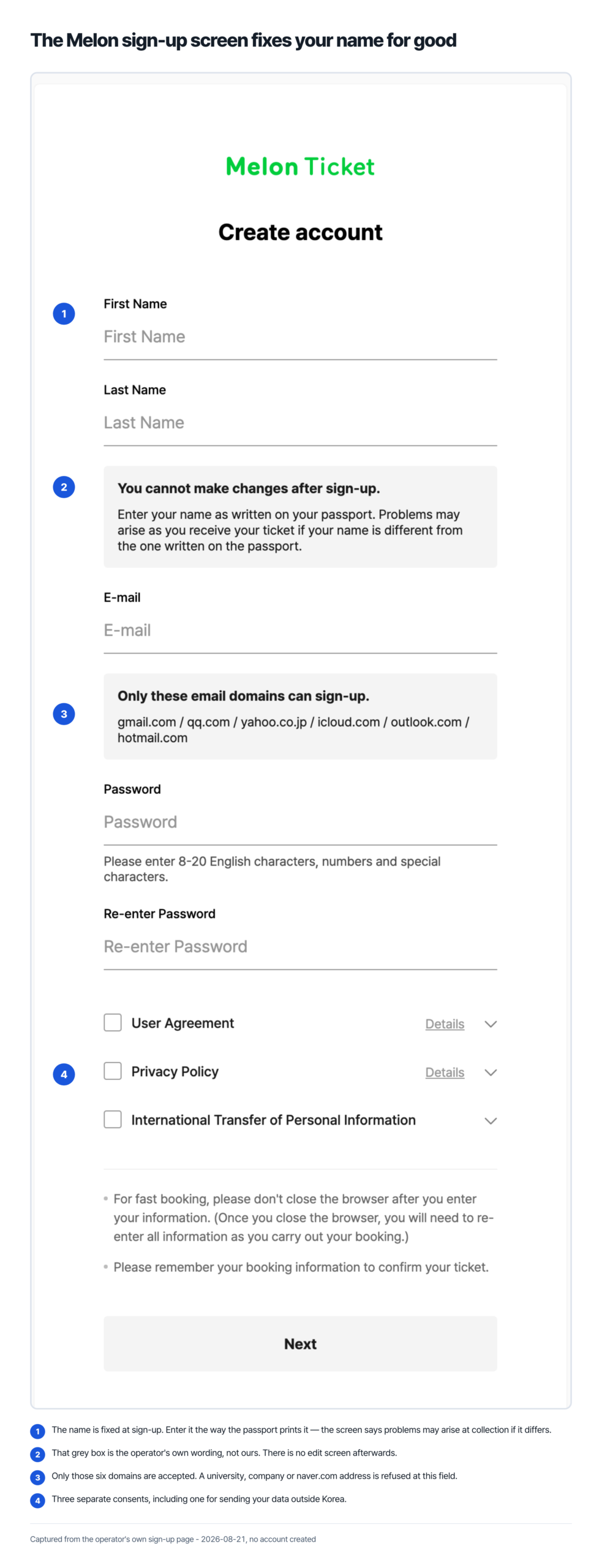
The account screen asks for a first name, a last name, an email address and a password. That is the entire form. There is no field for a Korean phone number, which answers the question most people arrive with.
The email field is where people stop. Under it the form prints a fixed list: gmail.com, qq.com, yahoo.co.jp, icloud.com, outlook.com, hotmail.com. Those six are the only domains offered. A work address, a university address, yahoo.com rather than yahoo.co.jp, or any national provider is not on the list, and the page gives no route around it. If you do not already hold an address at one of the six, that is the first thing to set up.
The name matters more than it looks. The form says you cannot make changes after sign-up, and asks you to enter your name as written on your passport, because a mismatch causes problems when you collect the ticket. The name you type at sign-up cannot be changed afterwards.
The password is 8 to 20 characters using English letters, numbers and symbols. Three agreements appear before the button: the user agreement, the privacy policy, and a separate consent to the international transfer of personal information. Leaving the service later is not instant either: the FAQ states you cannot sign up again for 30 days after deleting an account, and changes to personal information go through a 1:1 inquiry rather than a settings screen.
Verified Members Only: a passport, a camera, one account
Melon has run an identity check since September 11, 2025.
The check does not apply to everything. The notice states that verification is optional, but may be required for certain events, and that shows requiring it carry a “Verified Members Only” label on the performance page. If the show you want carries that label, verification comes before booking, not during it.
What it needs is a passport and a smartphone with a camera. The path is My Info, then Verification, then scanning your passport and your face, then a validation check. Three consequences follow, and each is stated by Melon rather than inferred here. You must verify with your own passport, and using another person’s information can restrict access to the performance and related services. Once a passport has verified one account, the same information cannot verify a different account. After verification succeeds, your account name is automatically updated to match the name on the passport.
The FAQ also warns about timing: attempting verification immediately before sales begin can be delayed or restricted by traffic, and it recommends finishing at least one to two days ahead.
| Type of event | Booking fee stated in the notice |
|---|---|
| Concerts, including fan meetings and festivals | KRW 8,000 |
| Musicals | KRW 6,000 |
| Fan clubs | KRW 3,000 |
| Events and exhibitions | Free |
The notice announcing these rates took effect at 10 am on April 23, 2026, and it adds a line that keeps the table from being the whole answer: check each booking for additional fees incurred.
Fees behave differently from the ticket when you cancel. The FAQ states there is no cancellation fee if you cancel by 11:59 pm Korean time on the day you booked, but that service fees are not refundable after the day of purchase. Note the wording: the notice calls the charge a booking fee and the FAQ calls it a service fee, and neither page says the two names describe the same line. Either way the window is the same calendar day, not a number of hours.
Your card must not be Korean
This is the rule with the sharpest consequence, and Melon states it twice in one answer. You must use a credit card issued from a country other than South Korea on the global site. A Korean-issued card can get your booking cancelled even after the payment goes through. The FAQ frames that as something that can happen through a card company error, with the reservation completed and the ticket still cancelled afterwards.
Advance-purchase shows may take a credit card only; Alipay Plus and PayPal connect at the final payment stage where the show offers them. Neither the FAQ nor the purchase guide says which show offers which, so the payment step is where it shows.
Two smaller things save a support ticket later. Your statement will not say Melon Ticket; the FAQ names KGINICIS or BC Card as what appears instead, and asks you to withdraw any complaint filed with your card issuer over that confusion. And if a UnionPay payment leaves you with a charge but no reservation history, the FAQ states the refund processes automatically within a few days, with 14 days as the point to contact the card company.
What each booking step asks for
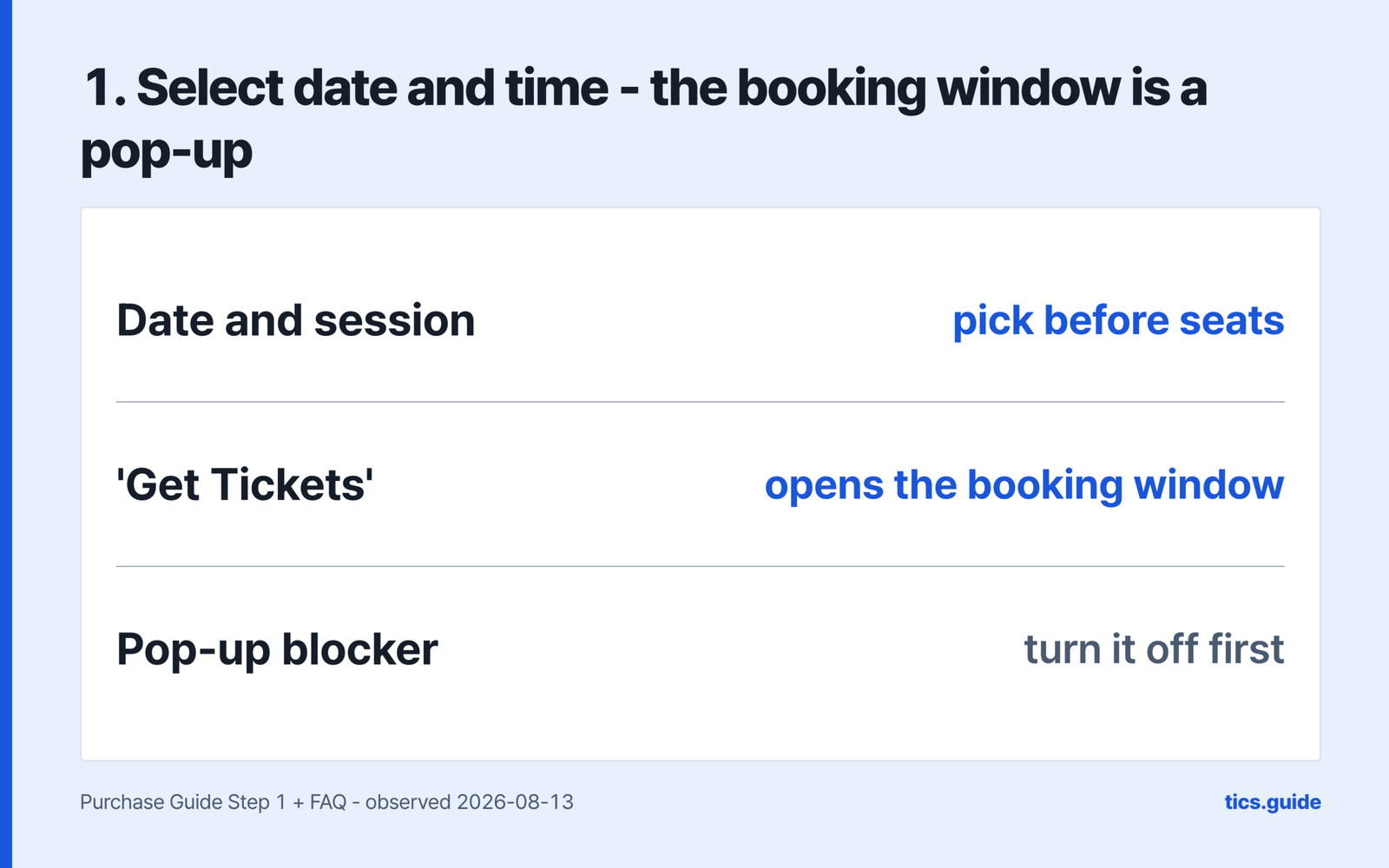
The purchase guide sets out six steps, and they are not six screens – the first happens on the show page, and delivery, payment and the terms share one scrolling screen. The diagrams below reproduce what each step asks for, read from that guide on 2026-08-13. They are drawings, not captures of the live site.
What each booking step asks for
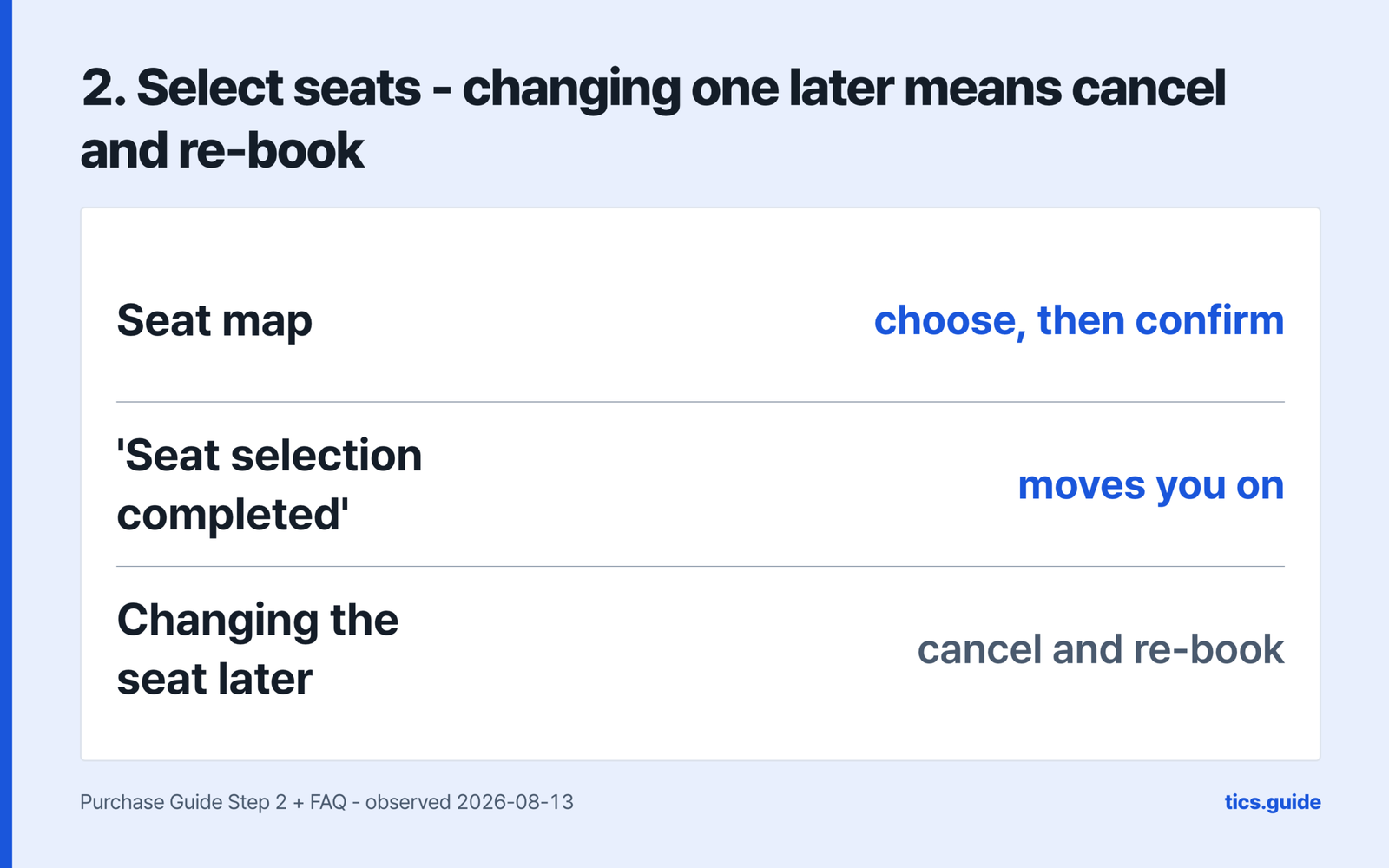
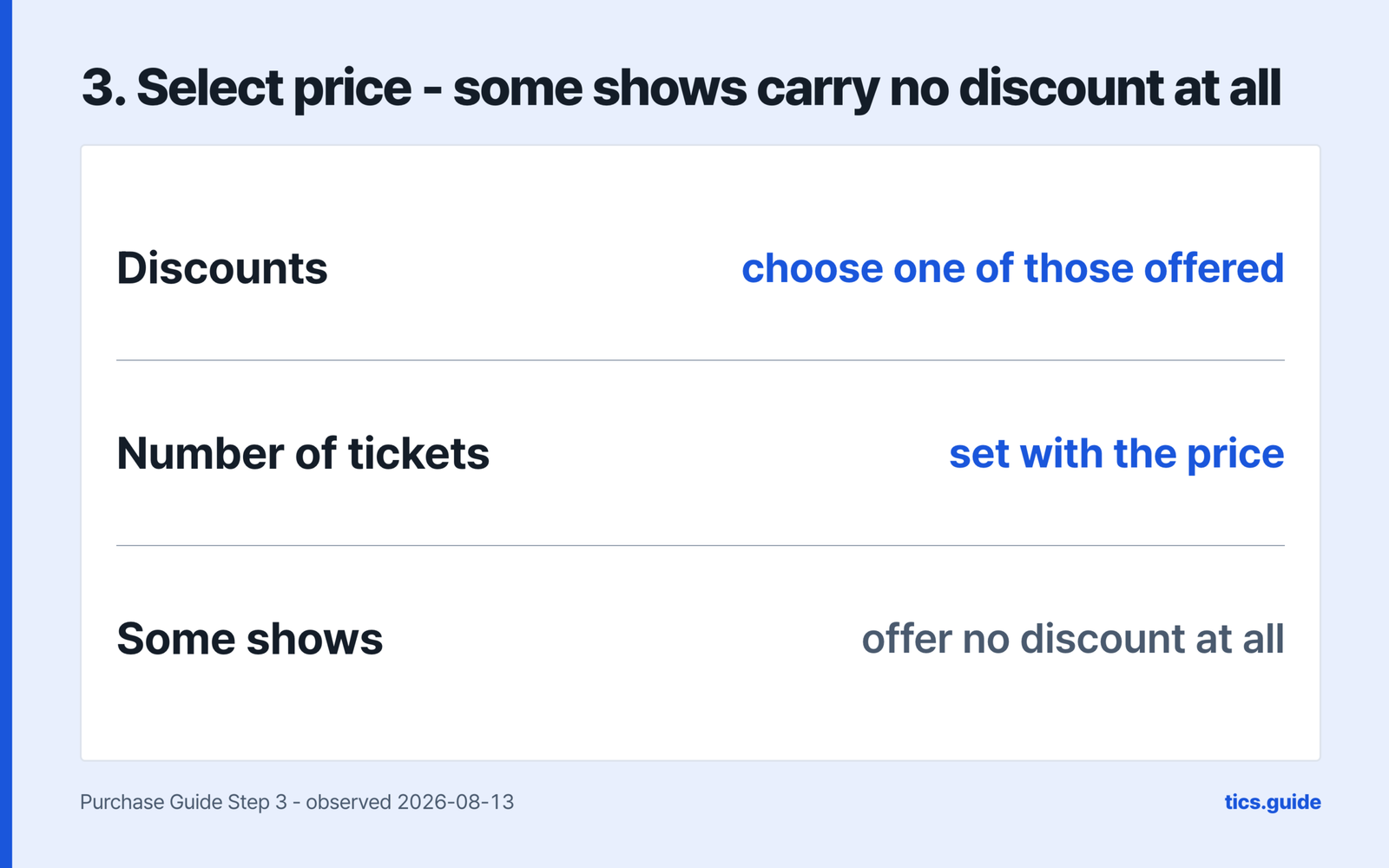
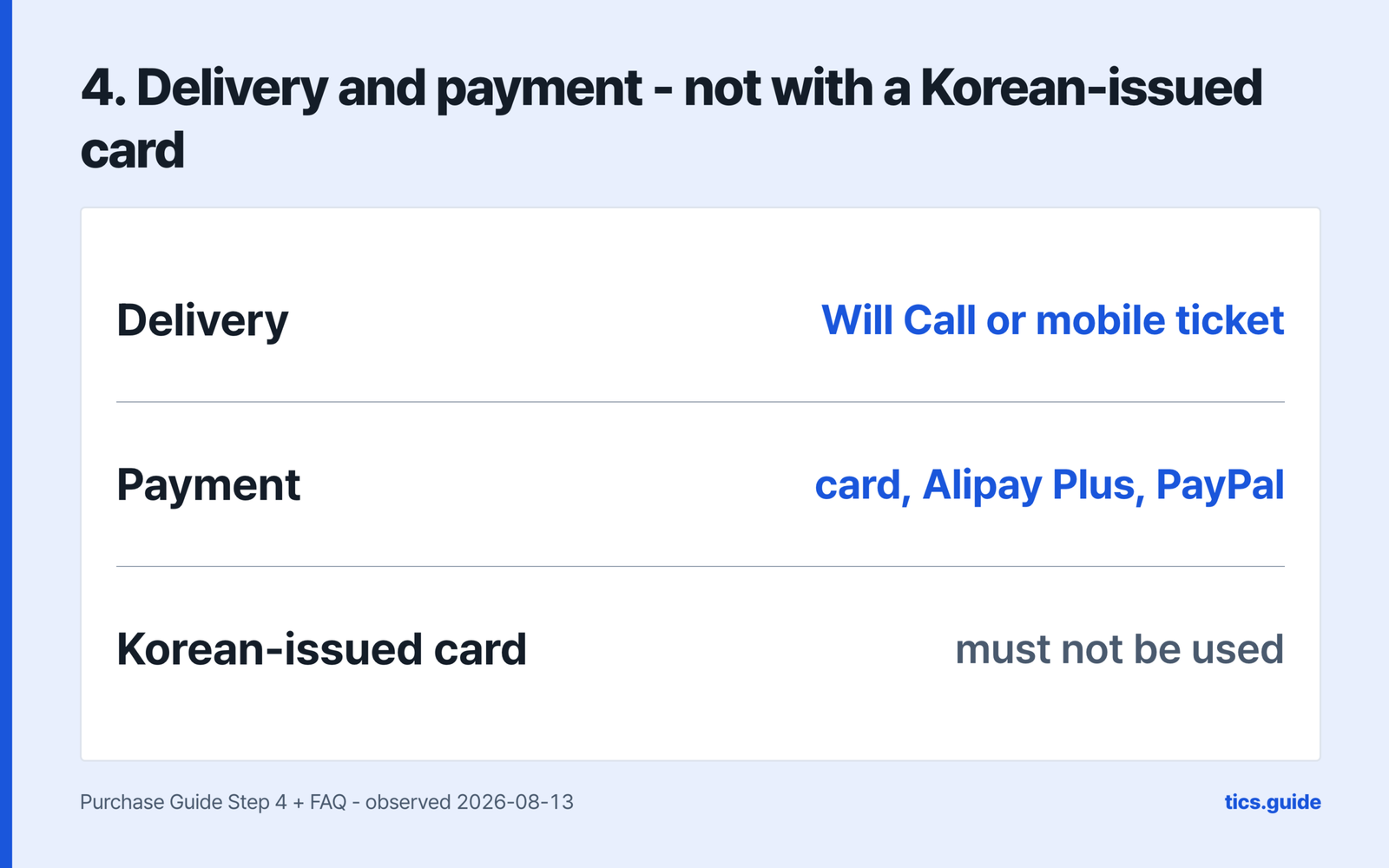
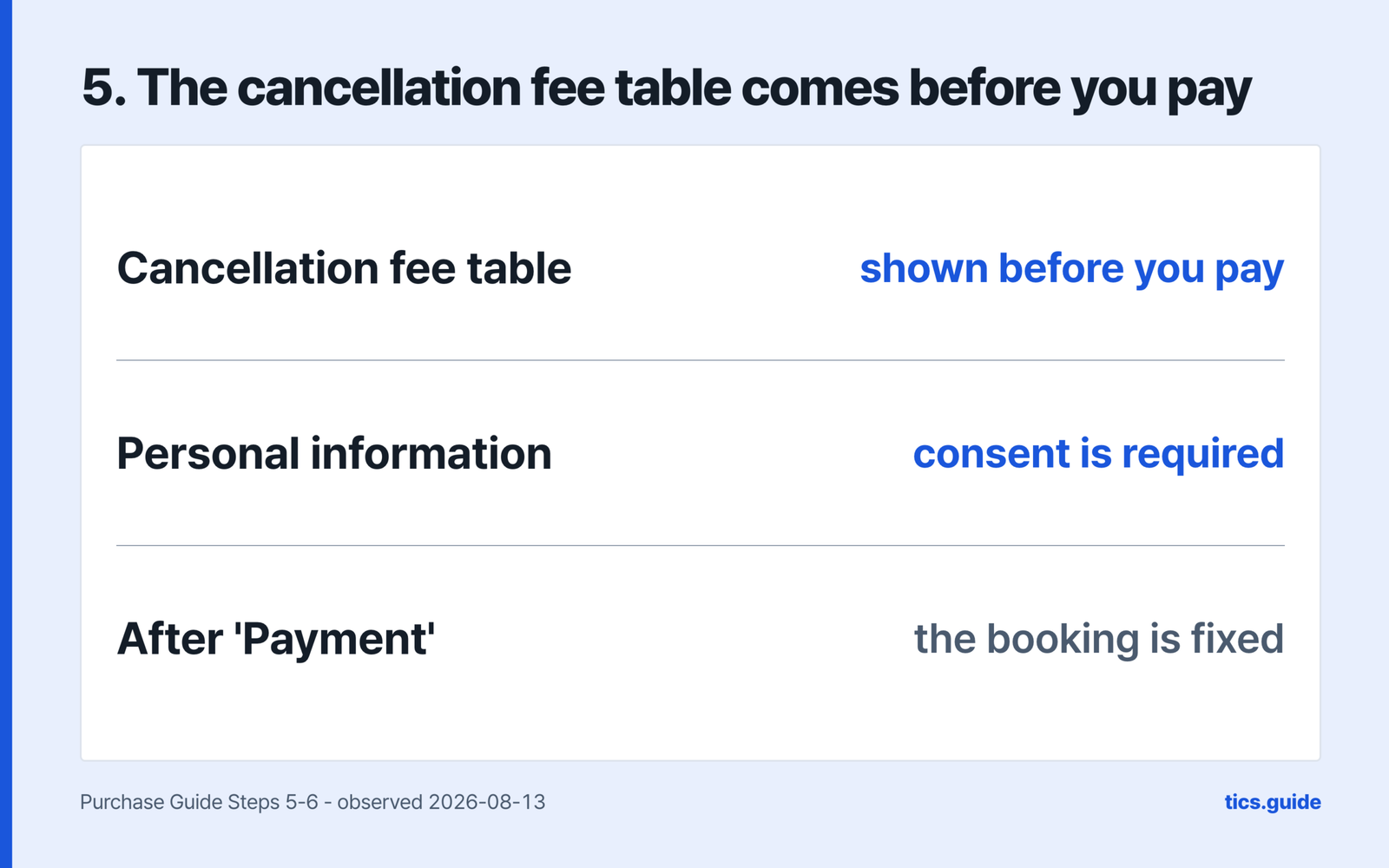
Two of those screens are one-way. The FAQ states that a seat cannot be changed once booking is complete, and that the way to a different seat is cancelling and re-booking, which puts you back in the queue at whatever the show’s cancellation terms cost. And the show’s full cancellation fee table sits on the delivery and payment screen, across the guide’s steps four and five; the price screen before it carries only a cancellation deadline and a fee range behind a Details link. The rate is the show’s own, not a site-wide figure.
Use PC Chrome or the mobile web – that is what the site says it is built for, though another FAQ answer also lists Firefox and Safari. Turn off pop-up blocking before the sale, because the booking window opens as a pop-up, and do not close the browser mid-booking or you re-enter everything.
Getting the ticket: what the two pages say
Here the site does not agree with itself, and the difference is worth knowing before you choose at step four.
The FAQ describes one route. After booking, it says, you collect your tickets from the box office at the venue. The purchase guide describes two, stating that for international customers Will Call and mobile ticket are available.
What the FAQ does describe in detail is the counter. Bring valid identification and your statement of purchases, and the guide adds that you print the purchase details from My Ticket and hand them over with identification. Tickets cannot be picked up before the day of the show. Once collected, they cannot be reissued if lost or stolen. Collection by someone else is possible at some events but not all, and the FAQ sends you to the event page for that.
Late arrival is also decided by the show, not the platform. The FAQ notes that some performances, classical concerts and operas in particular, do not admit latecomers until the interval, and that you may have to find your seat then.
Cancelling and refunds: Melon Ticket Global runs on a Korean clock
The deadline is a wall-clock time in Korea, not a countdown from your purchase. Cancellation closes at 5 pm Korean time on the day before the event, and at 11 am on Saturdays. Cancelling on the event date itself is not allowed, and the FAQ notes that certain events vary this.
How much it costs is the one number this page cannot give you. The FAQ states that each show sets its own cancellation policy and sends you to the policy for that show, which is the table you saw at step five. The pages read here carry no site-wide fee schedule.
Timing after that is the FAQ’s own list. Card approval cancellations verify four to five days after purchase. A cancellation after the card has been charged is deducted the following month. Refunds take three to seven days, and the exact date depends on your card company. For digital payments, a normal cancellation status plus a cancellation email means the next question goes to the payment provider rather than to Melon.
Two traps sit at the edge of the deadline. Cancellation may fail after 11:30 pm Korean time because banks suspend deposits and withdrawals for their own maintenance, and cancelling very close to the deadline may fail outright or fall into a different charge rate because of your connection. Each of those is Melon’s own warning, and the practical reading is to treat the stated deadline as later than the one you should aim for.
What this page does not settle
Some things stay open because the English pages read here do not settle them. The cancellation fee percentages live on each show’s page, not in a site-wide table. Mobile ticket delivery is named in the purchase guide with no procedure attached. And whether Alipay Plus and PayPal appear for every show is not stated on any of those pages.
This page covers the official route only. It does not cover automated purchasing, ways around a queue, accounts or payment methods in another person’s name, or resale. Where the answer is that the counter is closed to you, that is the answer.
Do I need a Korean phone number to sign up?
No. The sign-up form takes a first name, a last name, an email address and a password, and has no phone number field. The block for most people is the email list instead: only gmail.com, qq.com, yahoo.co.jp, icloud.com, outlook.com and hotmail.com are accepted.
I hold a Korean passport. Can I use this site?
Not for the identity check. The FAQ states that customers with South Korean nationality complete verification through the Korean site, ticket.melon.com, using mobile verification, and it does not offer the passport scan as an alternative for them.
What happens if I pay with a card issued in Korea?
The FAQ states the ticket can be cancelled, including when payment went through because of a card company error and the reservation completed. It requires a card issued outside South Korea.
How do I get a refund from Melon Ticket Global, and what does cancelling cost?
The English pages read here give no single figure. Each show sets its own cancellation policy, shown in the fee table at the terms step before you pay. The FAQ adds one rule that is not show-specific: cancelling by 11:59 pm Korean time on the day you booked carries no cancellation fee, while what the FAQ calls the service fee stops being refundable after the day of purchase.
Sources
- Melon Ticket Global, “FAQ” (observed in a browser 2026-08-13) – https://tkglobal.melon.com/customerservice/faq_eng.htm?langCd=EN
- Melon Ticket Global, notice 24 “Melon Ticket Booking Fee Change”, posted 2026.04.13 (observed 2026-08-13) – https://tkglobal.melon.com/customerservice/notice.htm?langCd=EN
- Melon Ticket Global, notice 18 “Identity Verification Service Notice”, posted 2025.09.10 (observed 2026-08-13) – https://tkglobal.melon.com/customerservice/notice.htm?langCd=EN
- Melon Ticket Global, “Purchase Guide” (observed in a browser 2026-08-13) – https://tkglobal.melon.com/customerservice/guide.htm?langCd=EN
- Melon Ticket Global, sign-up screen (observed in a browser 2026-08-13) – https://gaccounts.melon.com/ticketGlobal/join?cpId=MP19&lang=EN
- Ticketmelon, home page (checked 2026-08-13) – https://www.ticketmelon.com/